



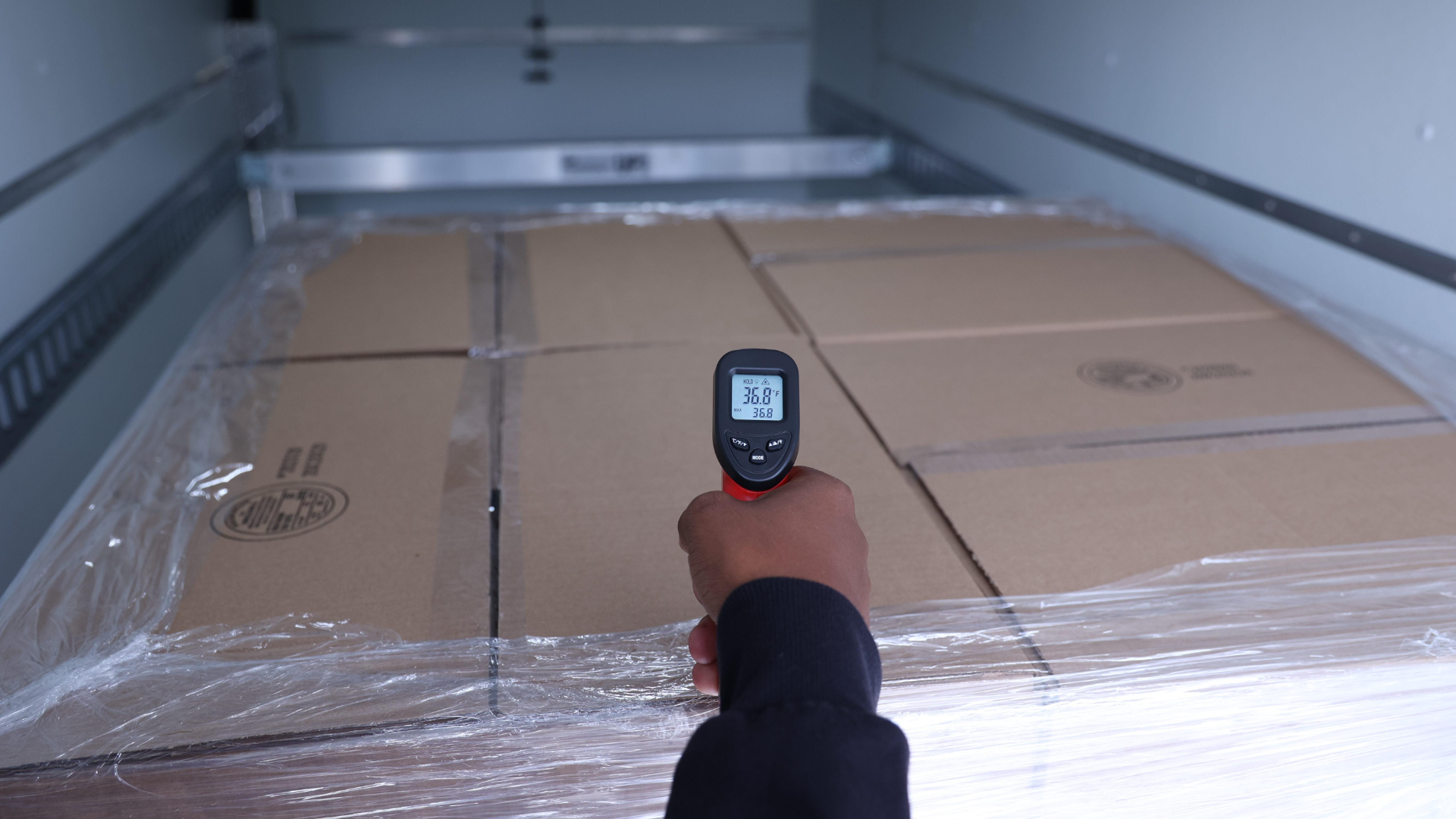
Why a “Good” Reefer Reading Can Still End in Rejection
A reefer setpoint records the unit’s target; product temperature shows the condition of the load. Treating those numbers as interchangeable can leave a shipment with a clean equipment record and a rejection at delivery.
The conflict begins because setpoint, supply air, return air, cargo-space air, logger data, and pulp temperature answer different questions.
One Load, Several Temperatures
The setpoint is the instruction given to the refrigeration unit. It does not measure the product.
Supply air is the conditioned air leaving the unit. Return air is the air coming back after moving through the cargo space. These sensors help operate the refrigeration system, but they sit inside the unit rather than throughout the load.
A cargo-space logger records conditions where its sensor is placed. A device near the rear doors, on a wall, inside a carton, or deep in a pallet may produce different results because each location has its own microenvironment.
Pulp temperature — more broadly, internal product temperature — measures the product itself, usually with a probe. It answers a narrower question: What was the product temperature at that point and time?
The USDA/UF IFAS guide Protecting Perishable Foods During Transport by Truck or Rail explains that air temperatures inside refrigerated equipment are not automatically the same as carton or internal product temperatures. Air responds faster to change, while product temperature lags. Supply- and return-air sensors also cannot represent every microenvironment inside the cargo space.
Why a Correct Setpoint Can Still Fail the Load
A good setpoint can coexist with a warm product.
The product may have entered the vehicle above the required temperature. Transport refrigeration is built mainly to maintain conditions and remove heat entering the cargo space; it may not pull a warm chilled or frozen load down to the required internal temperature during transit.
Airflow can create another gap. Tight pallet patterns, blocked vents, contact with walls, missing air channels, or uneven loading can produce hot and cold pockets while the unit operates normally. Product temperature also changes unevenly across surfaces, cartons, and pallet positions.
Sensor placement adds more variation. A logger on a wall may record heat that does not represent the center of the load. One probe reading may not describe every pallet. Return air may show heat coming back to the unit without locating the source.
Which Reading Governs at Delivery?
No single reading governs every shipment. The controlling evidence depends on the product specification, agreed monitoring method, sensor location, and question being asked.
The setpoint shows the target. Supply and return air show system behavior. A cargo logger shows conditions at its location. Pulp temperature shows product condition where it was measured.
The FDA’s Sanitary Transportation guidance uses the same broader logic. For food requiring temperature control for safety, a receiver may assess product temperature, vehicle ambient temperature, the unit setting, and sensory condition. FDA also recognizes loading and unloading measurements or in-transit time-and-temperature data as possible evidence that requested conditions were maintained.
Build the Record Before Pickup
The strongest temperature record starts before the doors close.
Define the required product range, operating setpoint, refrigeration mode, pre-cooling requirement, and monitoring method in writing. Record product temperature at loading when appropriate. Document sensor placement. Connect time-stamped readings to GPS location, loading, door openings, stops, and delivery.
This separates four issues often mixed together: starting product condition, vehicle preparation, in-transit environment, and delivery condition. Date-stamped product readings and documented recorder locations help establish where and when temperature variation occurred.
From Temperature Data to Shipment Context
Reefer Van Network’s role is not to produce one more isolated number. It is to connect the readings to the actual movement of the load.
With us, temperature events can be reviewed alongside GPS location, stop history, pickup and delivery timing, vehicle assignment, and shipment communications. For 1–14 pallet loads, dedicated reefer vans, box trucks, and straight trucks also create a simpler chain of events than a shared, multi-stop model. One vehicle. One route. Fewer variables to explain.
The Customer Portal keeps booking details, tracking, and trip information connected to the same move, while RVN’s operations team can add context when conditions change.
One Reading Is Not the Verdict
That reading does not decide whether a product should be accepted or rejected. The authorized quality or receiving team makes that decision. But it gives them better evidence to work with.
The objective is not to collect the largest possible volume of data. It is to build a record that explains how the product entered the vehicle, how the equipment was operating, where the shipment traveled, when conditions changed, and what was happening at that moment.
When the readings agree, the decision is easier. When they conflict, the shipment record should narrow the investigation — not create another mystery.
Back to blogYou may also be interested in

Reefer Breakdown Recovery and Chain of Custody
Why recovery has to protect both the freight and the record of what happened A reefer breakdown changes more than the transportation plan. Once temperature control or vehicle movement is disrupted, the recovery process has to protect the freight while preserving a clear record of who controlled it, where it moved, and what conditions surrounded […]
Temperature Mapping Inside a Refrigerated Box Truck
How a Spatial Temperature Profile Supports Vehicle Qualification and Loading Decisions Temperature mapping turns the interior of a refrigerated box truck into a measured space. Instead of evaluating the vehicle from one temperature location, the exercise identifies where the payload area tends to run hottest, coldest, or otherwise requires closer attention under defined test conditions. […]